Projects · providers · progress
An AI coding agent manager for work across projects.
Consept brings Codex, Claude Code, Cursor, Grok, and OpenCode into one workspace. Organize project threads, choose a provider, and keep the work ready for review.
Apple Silicon Mac · 7-day trial for eligible new accounts
A closer look
Find the work without searching through windows.
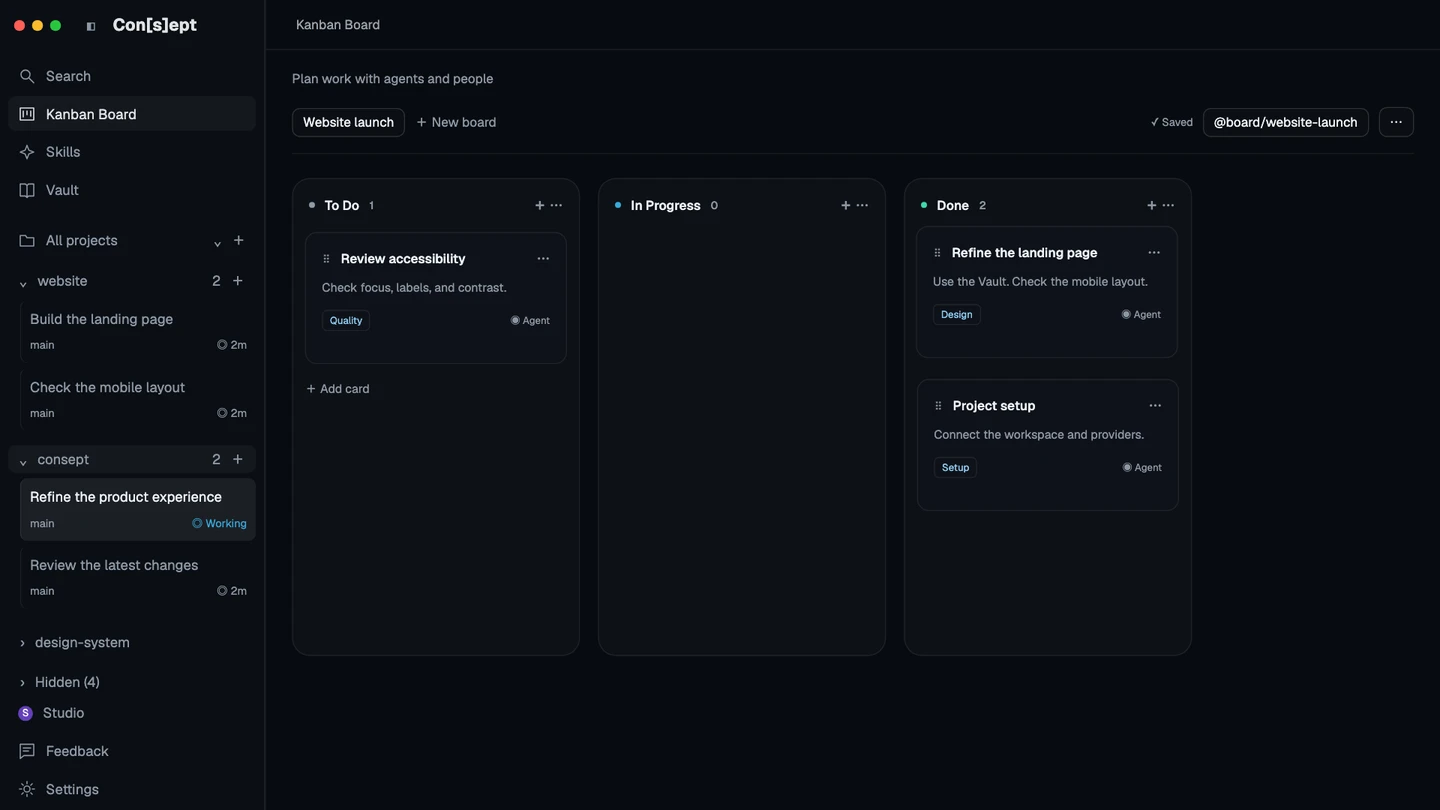
When several projects use different coding agents, the hard part is often finding the right conversation and knowing what needs attention. Consept gives each project a place for its threads, files, and knowledge. Return to a task from the project list instead of reconstructing its context from terminal tabs.
Management here means you direct the work. Choose a provider for a task, track it on a board, follow the conversation, and review the result. Consept does not promise autonomous task delegation or automatic merging between agents.
Choose the provider for the task
Configure supported providers in Settings and choose from their available models and options. Use clear provider names to distinguish accounts and configurations. Capability and authentication remain specific to each provider.
Organize tasks by project
Keep conversations under their workspace, use the Kanban board to arrange project tasks, and return to earlier threads for follow-up work. A project’s notes stay with that project instead of becoming a global pool of context.
Keep execution and review together
Use chat for requests, terminals for commands, and source control for reviewing the changes. For projects on another machine, a configured remote environment keeps that machine’s files, credentials, and execution state together.
From setup to review
A repeatable workflow for several projects
Add the workspaces you use
Register the project directories in your environment. Give provider configurations clear names so the right account and tool are easy to select.
Make each task specific
Create a thread with one clear outcome. Put related tasks on the project board and give the selected agent the files and constraints it needs.
Review and record the outcome
Check the changed files and relevant tests. Update the task status and save important project decisions in the Vault when it is enabled.
Setup references
Official documentation for the tools used in this workflow.
Product guide by Consept · Reviewed
Choose your workflow
Built for people supervising coding work
Consept is useful when you move between repositories or providers and want one place to find ongoing work. It remains a workspace you control. Provider subscriptions, project permissions, and responsibility for the changes stay with you.
Questions about AI coding agent manager
Which coding providers can I manage?
Consept supports Codex, Claude Code, Cursor, Grok, and OpenCode. Install and configure the providers you need in the environment. Available models and features depend on each provider.
Does Consept automatically delegate tasks to agents?
This workflow is user-directed. You create the tasks, choose providers, monitor the work, and review the results. Parallel terminal sessions do not imply automatic delegation or automatic integration.
Can I keep projects on another machine?
Yes, after configuring and pairing a supported remote connection. Each environment owns its projects, credentials, and state. The remote machine must stay available for work there.
Is Consept a replacement for my provider subscription?
No. Consept supplies the workspace. Your coding providers supply their models and agent runtime, with their own authentication, plans, and usage charges.
What do I need to try Consept?
Download the app on an Apple Silicon Mac, then sign in. Eligible new accounts get seven days from their first app login, with no card required. After the trial, Consept costs $19 per month or $129 for lifetime access. Provider subscriptions and API charges are separate. See plans and pricing.
Your project. Your next step.
Try it on a real task.
Download Consept, connect your provider, and open the project you want to work on.
Download for macOSNo account needed to download. Sign in when you open the app.