Cursor · macOS alternative
Cursor alternative that works beside your editor.
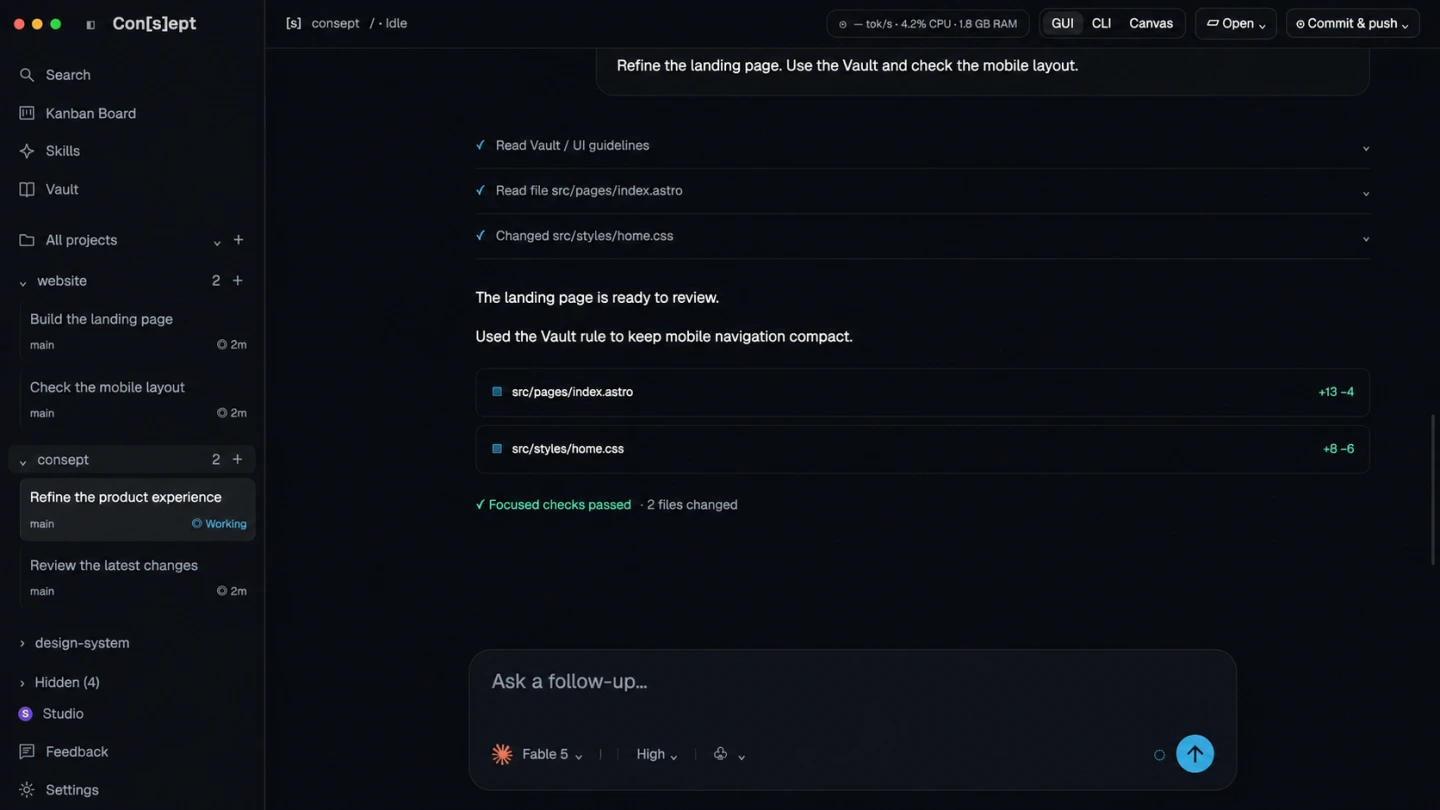
Use Consept alongside your preferred editor on Mac. Organize Claude Code, Codex, or Cursor CLI work by project, arrange terminal sessions in Canvas, and review changes in one workspace. Compare the workflow before you switch tools.
Apple Silicon Mac · 7-day trial for eligible new accounts
A closer look
Cursor basics and use cases.
Cursor is an AI-powered code editor built on top of Visual Studio Code. It integrates AI capabilities directly into the editor experience, providing features like AI-assisted code generation, chat with your codebase, and AI-driven refactoring. Cursor has gained popularity among developers for its seamless integration and powerful AI features.
The editor works well for developers who want AI assistance without leaving their IDE. It supports multiple AI models and provides features like inline code generation, chat interface, and AI commands. Cursor is particularly strong at understanding code context and providing relevant suggestions.
IDE-agnostic workspace
Open your project directory in Consept and keep using your preferred editor. Consept provides a separate workspace for coding agents, terminals, files, and review.
Multiple AI providers
Configure Claude Code, Codex, Cursor CLI, Grok, or OpenCode in Consept. Choose a supported provider for each new thread or terminal session using your own provider accounts.
Project-level organization
Group agent threads, terminals, files, and knowledge notes under each project in Consept. Find the work you want to continue without moving it into a different editor.
Editable knowledge vault
Consept Vault stores editable Markdown notes that AI sessions can search and update. Keep architecture decisions, working rules, and resolved problems in a shared knowledge base.
From setup to review
Set up Cursor for AI-assisted coding
Install Cursor
Download Cursor from the official website, install it, and open the app. Cursor is a separate editor; you do not need to install VS Code first.
Sign in and open a project
Sign in to your Cursor account and open a project folder. Follow Cursor's setup guide to choose a model and review the access included with your plan.
Start coding with AI assistance
Open your project and start using Cursor's AI features. Use the chat interface to ask questions about your code, generate new files, or refactor existing code. The AI understands your codebase context.
Fair comparison
How Cursor compares to Consept
What Cursor does well
Cursor is a standalone code editor based on VS Code, with AI features built into the editing workflow. It offers inline code generation, agent conversations, and codebase search. Its project features preserve context across agent work, and its CLI provides another way to use Cursor from a terminal.
Which workflow fits your project?
Cursor offers its own editor, agent workflows, project context, and CLI access. Compare it with Consept based on where you want to organize agent work. If you prefer to keep your editor separate, try Consept's project threads, terminal Canvas, and editable Vault alongside your current tools.
When to choose Consept
Choose Consept if you want a separate Mac workspace for agent conversations, terminal layouts, code review, and project notes. Keep your preferred editor and configure the coding agents you use, including Cursor CLI. Evaluate both with the same project task before changing your workflow.
Sources
Research references for the comparison.
Competitor analysis by Consept · Reviewed
Questions about Cursor Alternative
Do I need to stop using Cursor to use Consept?
No. You can keep Cursor as your editor and open the same project directory in Consept for agent threads, terminals, code review, and project notes. Coordinate concurrent edits when tools share files.
How does Consept differ from the Cursor editor?
Cursor combines an editor with AI tools and also offers a CLI. Consept is a separate workspace for coding agents, with project threads, terminal layouts, code review, and editable notes. Choose it for that workflow; it is not a replacement for every Cursor editor feature.
Does Consept work on Apple Silicon Macs?
Yes, Consept is native for Apple Silicon Macs and optimized for M1, M2, M3, and later chips.
Can I use Cursor as a provider in Consept?
Yes. Install and authenticate Cursor CLI, then configure it as a provider in Consept. You can also configure Claude Code, Codex, Grok, and OpenCode. This uses Cursor CLI, not an embedded copy of the Cursor editor.
What do I need to try Consept?
Download the app on an Apple Silicon Mac, then sign in. Eligible new accounts get seven days from their first app login, with no card required. After the trial, Consept costs $19 per month or $129 for lifetime access. Provider subscriptions and API charges are separate. See plans and pricing.
Your project. Your next step.
Try it on a real task.
Download Consept, connect your provider, and open the project you want to work on.
Download for macOSNo account needed to download. Sign in when you open the app.