T3 Code · macOS alternative
T3 Code alternative for parallel agents on Mac.
Compare T3 Code with Consept for ongoing project work. Arrange agent terminals in Canvas, review file changes, and keep editable project notes in Vault. Try the workflow with your own coding agents on an Apple Silicon Mac.
Apple Silicon Mac · 7-day trial for eligible new accounts
A closer look
T3 Code basics and what it handles well.
T3 Code is Ping Labs' open-source control plane for coding agents. It is MIT licensed and connects several coding tools using your existing provider accounts. The official site lists supported agents and available downloads.
T3 Code combines agent threads with branch-based work and inline diff review. It also provides actions to commit, push, and open pull requests. Compare that workflow with how you want to organize terminal sessions and project knowledge in Consept.
Project-level organization
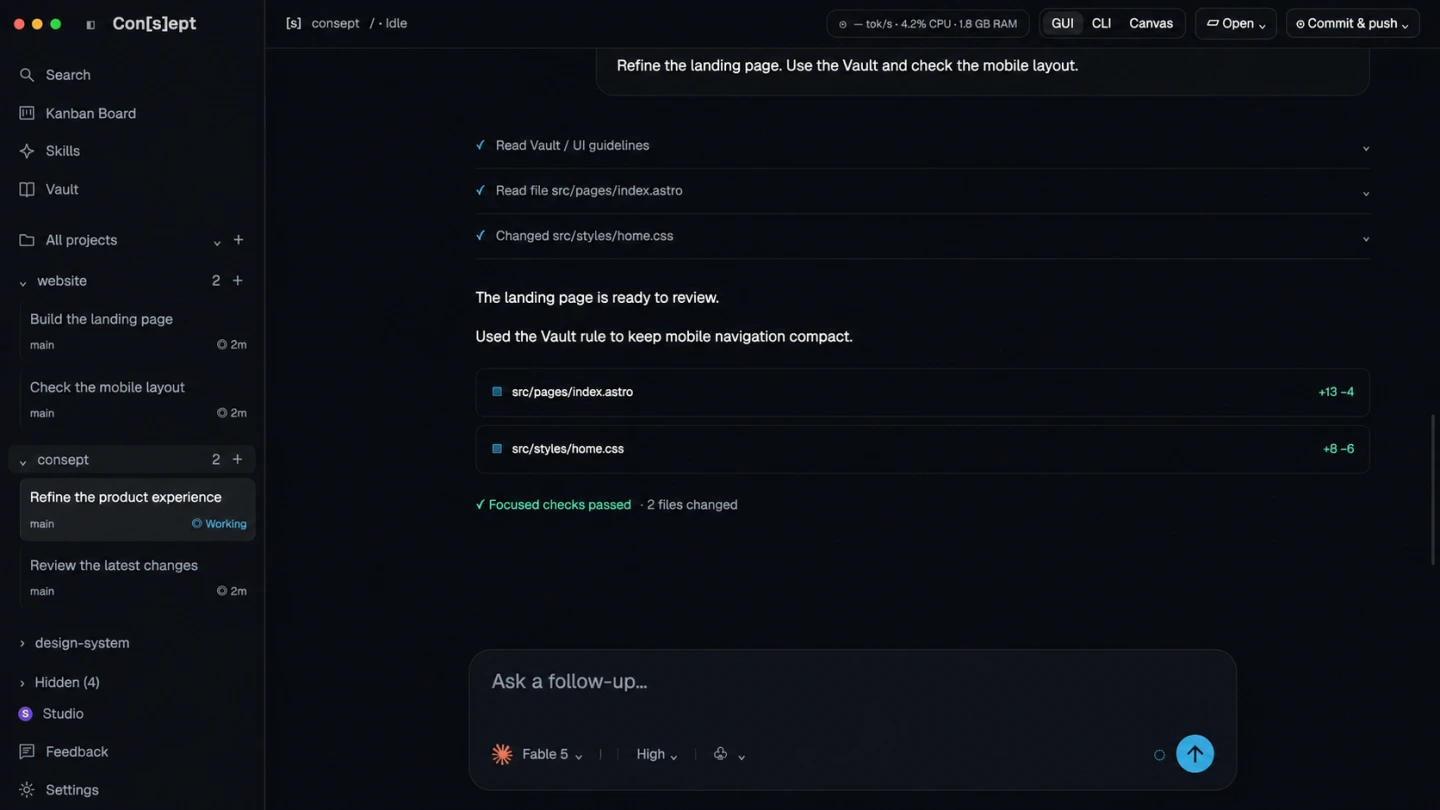
Keep threads, terminals, files, and project notes together in Consept. Return to the project to find earlier conversations and continue work with the context you need.
Multiple AI providers
Use Claude Code, Codex, Cursor, Grok, and OpenCode in the same workspace and switch providers per thread or terminal. T3 Code organizes sessions around the agents you connect.
Editable project knowledge
Consept Vault stores editable Markdown notes that AI sessions can search and update. Keep architecture decisions, working rules, and resolved problems in a shared knowledge base.
Parallel terminal sessions
Canvas lets you arrange multiple terminal sessions side by side. Keep each task in view and review the results before you commit. Coordinate changes when agents share the same files.
From setup to review
Set up T3 Code for agent work
Download T3 Code
T3 Code is open-source and MIT licensed. Download the build for your platform (macOS, Windows, Linux, iOS, or Android) from the project site and install it.
Connect your coding agents
Sign in to the coding agents you want to orchestrate, such as Claude Code or Codex. T3 Code hosts the agents you already use, so provider usage is billed through your own accounts.
Create agent sessions
Start sessions for the tasks you want run. Each session can work in its own worktree, so parallel agents do not fight over the same files or branch.
Fair comparison
How T3 Code compares to Consept
What T3 Code does well
T3 Code brings several coding agents into an open-source workspace. It supports branch-based threads and inline diff review, with actions to commit, push, and open pull requests. Its MIT license lets developers inspect and modify the source. Provider usage stays with the accounts you connect.
Which workflow fits your project?
Compare how each app helps you return to an ongoing project: finding past work, arranging terminals, and maintaining notes. Try the same task in both tools and review how easily you can follow the changes, record decisions, and pick up the work again.
When to choose Consept
Choose Consept if you want to keep project threads, file review, terminal layouts, and editable knowledge in one Mac workspace. Use Canvas to arrange sessions and Vault to record decisions you can inspect and change. Supported agent sessions can search and update Vault notes when enabled; automatic recall depends on provider setup.
Sources
Research references for the comparison.
Competitor analysis by Consept · Reviewed
Questions about T3 Code Alternative
Can I use Consept with my existing T3 Code projects?
Yes. Consept works with your existing project directories. Just add the project directory and start using AI agents through Consept's workspace.
How does Consept compare with T3 Code?
Both provide a workspace for coding agents. Compare how they organize your work: Consept groups threads, terminals, and files by project, with Canvas for terminal layouts and an editable Markdown Vault for project notes. Try a real task to see which workflow fits.
Does Consept work on Apple Silicon Macs?
Yes, Consept is native for Apple Silicon Macs and optimized for M1, M2, M3, and later chips.
Can I import my existing sessions from T3 Code?
Consept organizes work by project rather than session. You can migrate your project context by adding the same project directory and recreating threads as needed.
What do I need to try Consept?
Download the app on an Apple Silicon Mac, then sign in. Eligible new accounts get seven days from their first app login, with no card required. After the trial, Consept costs $19 per month or $129 for lifetime access. Provider subscriptions and API charges are separate. See plans and pricing.
Your project. Your next step.
Try it on a real task.
Download Consept, connect your provider, and open the project you want to work on.
Download for macOSNo account needed to download. Sign in when you open the app.