OpenAI Codex · macOS alternative
OpenAI Codex app alternative for Mac.
Keep your Codex account and return to your work with saved project notes, conversations, and code review in one Mac workspace. Compare Consept with the Codex app, then try it on a real project.
Apple Silicon Mac · 7-day trial for eligible new accounts
A closer look
OpenAI Codex basics and capabilities.
OpenAI Codex is an agentic coding tool. It is available as a terminal CLI, in cloud environments, as an IDE extension, and in the ChatGPT desktop app, and it can inspect files, make edits, run commands, and review diffs without leaving those surfaces.
The Codex CLI provides powerful command-line access for users who want to integrate AI assistance into their existing workflows. You can sign in with ChatGPT or use an API key, configure behavior with AGENTS.md files, and delegate work to Codex cloud. Codex works well for code generation tasks, refactoring, and learning new codebases.
Project-level organization
Organize your Codex work in Consept by project. Keep the project's threads, terminals, files, and knowledge vault together so you can find and continue earlier work.
Integrated code review
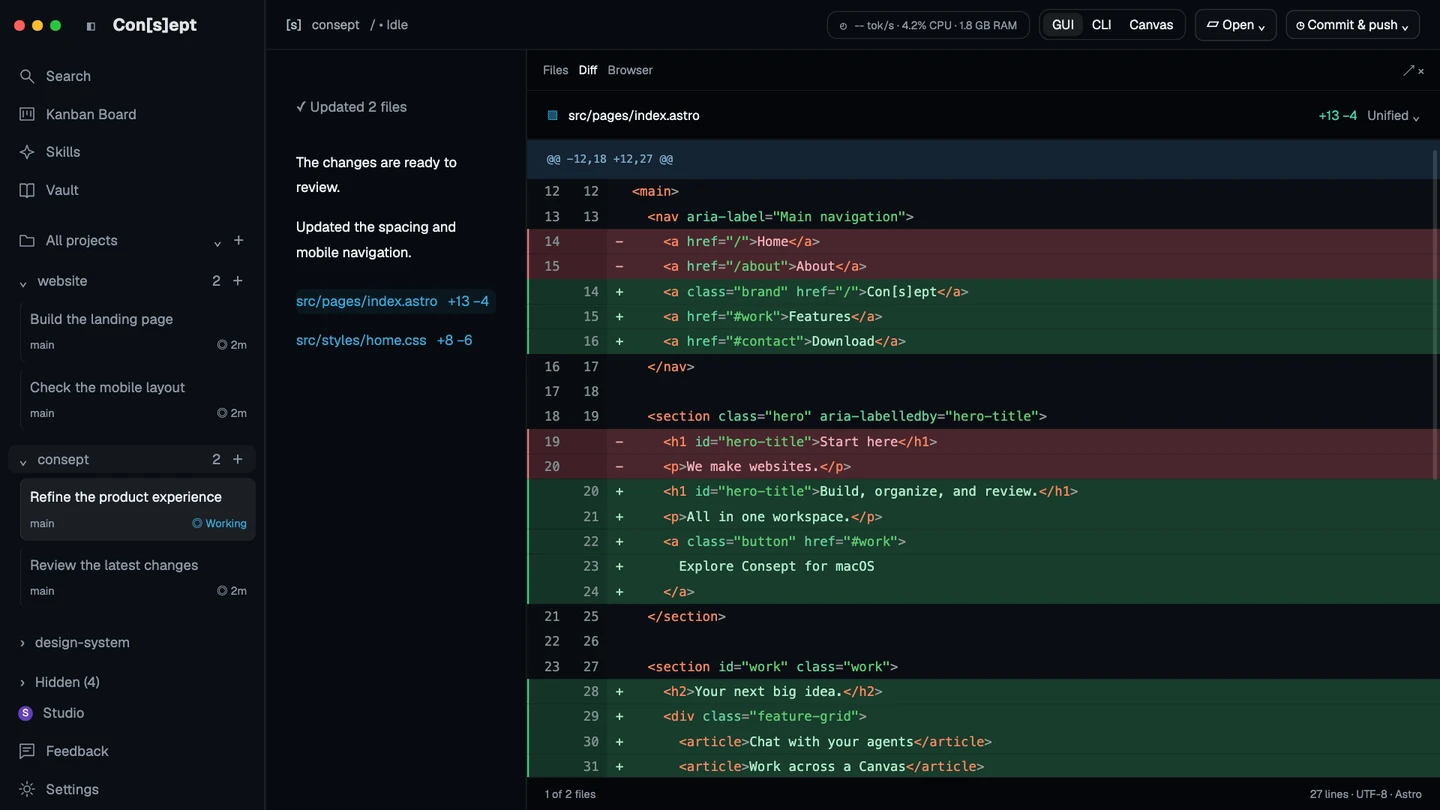
Review changed files, run tests, and inspect diffs before committing. Consept brings code review into the coding flow with source control integration.
Editable project knowledge
Consept Vault stores editable Markdown notes that Codex sessions can search and update. Keep architecture decisions, working rules, and resolved problems in a shared knowledge base.
Parallel terminal sessions
Canvas lets you arrange multiple Codex sessions side-by-side. Run parallel tasks with independent goals and bring results together deliberately.
From setup to review
Set up OpenAI Codex for coding tasks
Install the Codex CLI
Run the official install script for macOS or Linux (curl -fsSL https://chatgpt.com/codex/install.sh | sh), or install it from npm or Homebrew. The CLI provides a powerful interface for interacting with Codex from your terminal.
Sign in and configure
Run codex in your project directory and sign in with ChatGPT or another supported method. Usage is billed through your ChatGPT plan or OpenAI API account, depending on how you authenticate.
Configure your workspace
Set up your project structure and provide context through AGENTS.md files or similar configuration. Codex can read your project structure to better understand your codebase.
Fair comparison
How OpenAI Codex compares to Consept
What OpenAI Codex does well
OpenAI Codex has powerful language models and excellent code generation capabilities. It works well for generating code, explanations, and transformations. The CLI interface is powerful for advanced users. Codex benefits from OpenAI's research and continues to improve with each model iteration. It's particularly strong at understanding natural language requests and translating them into working code across multiple programming languages.
Which workflow fits your project?
Codex already supports project context and code review. The choice is how you want to work with it. Compare the official Codex surfaces with Consept's project workspace, terminal Canvas, and editable Vault. Consept uses your configured Codex installation; provider access and usage remain separate.
When to choose Consept
Choose Consept if you want Codex conversations, terminal sessions, changed files, and project notes in one Mac workspace. Review diffs before committing and record decisions in Vault for later sessions. Keep your existing Codex account, and configure other coding agents when the project calls for them.
Sources
Research references for the comparison.
Competitor analysis by Consept · Reviewed
Questions about OpenAI Codex Alternative
Do I need an existing Codex account?
You need a supported, authenticated Codex configuration. Consept does not include a Codex subscription, API credits, or additional provider usage limits.
Does Consept replace OpenAI Codex?
No. Consept is an independent workspace that uses your configured Codex installation and account. It brings project threads, Canvas terminal layouts, code review, and an editable Vault together. Your Codex subscription or API usage is billed separately.
Does Consept work on Apple Silicon Macs?
Yes, Consept is native for Apple Silicon Macs and optimized for M1, M2, M3, and later chips.
Can I use other providers with Consept?
Yes. Configure Codex alongside Claude Code, Cursor, Grok, and OpenCode. Choose the provider for each thread or terminal session.
What do I need to try Consept?
Download the app on an Apple Silicon Mac, then sign in. Eligible new accounts get seven days from their first app login, with no card required. After the trial, Consept costs $19 per month or $129 for lifetime access. Provider subscriptions and API charges are separate. See plans and pricing.
Your project. Your next step.
Try it on a real task.
Download Consept, connect your provider, and open the project you want to work on.
Download for macOSNo account needed to download. Sign in when you open the app.