Grok Build · macOS alternative
Grok Build alternative for a visual workflow on Mac.
Use Grok Build inside Consept's project workspace on Mac. Keep terminal sessions in view, inspect changed files, and save project decisions in an editable Vault. Compare this visual workflow with running the CLI on its own.
Apple Silicon Mac · 7-day trial for eligible new accounts
A closer look
Grok Build basics and capabilities.
Grok Build is xAI's agentic coding CLI, powered by the Grok Build coding model. It runs on your machine and works against local repositories: it inspects files, makes edits, runs commands, and can review changes, similar to how terminal coding agents work.
Grok Build works well for developers who want xAI's models for coding tasks and prefer a terminal-based agent. Access is through xAI, and it can also be used through integrations with other tools. It is particularly useful for projects that benefit from Grok's models and coding capabilities.
Project-level organization
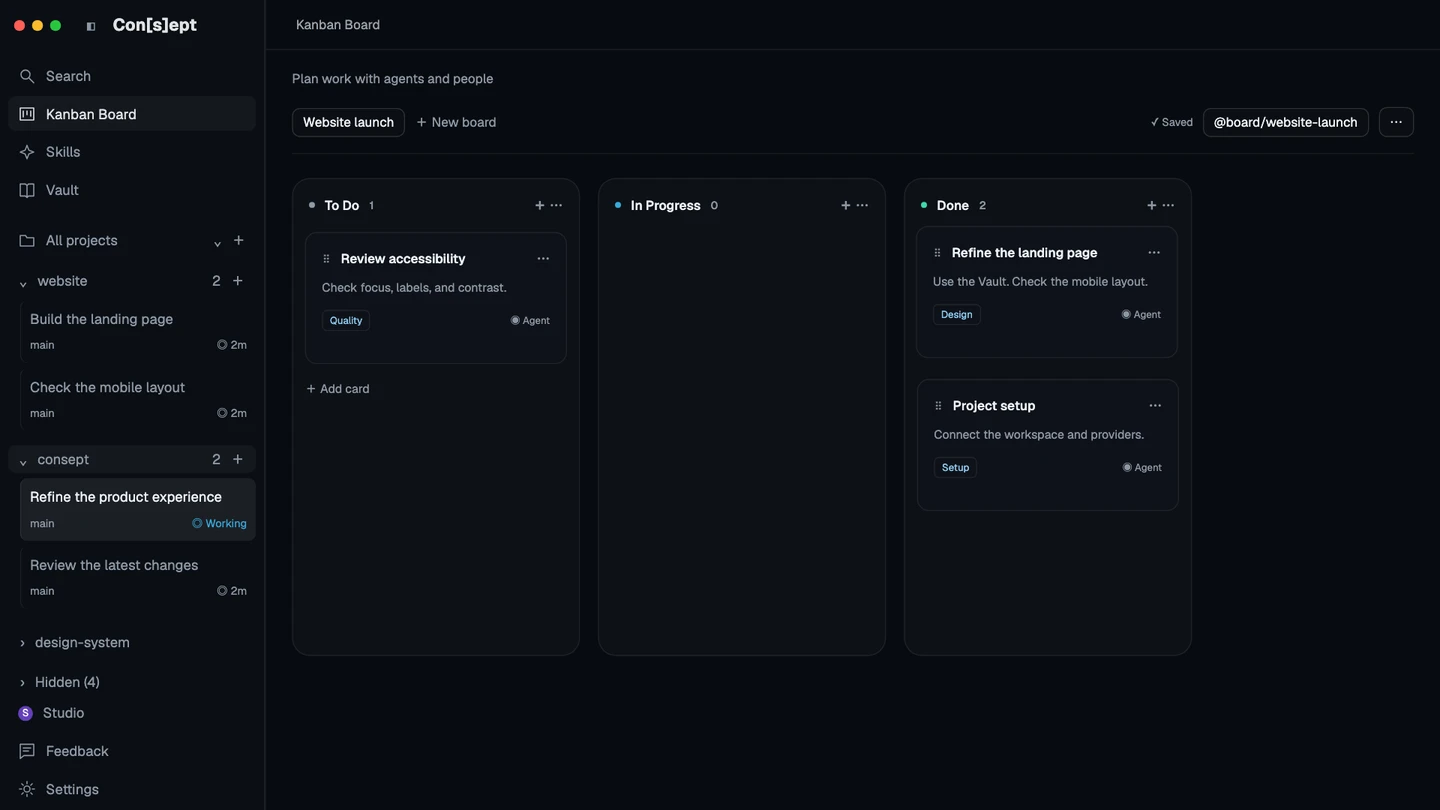
Keep Grok threads, terminals, files, and notes together under a project in Consept. Return to the workspace to review earlier work and continue the next task.
Multi-provider support
Configure Grok alongside Claude Code, Codex, Cursor CLI, and OpenCode in Consept. Choose a supported provider for each new thread or terminal session.
Editable project knowledge
Consept Vault stores editable Markdown notes that Grok sessions can search and update. Keep architecture decisions, working rules, and resolved problems in a shared knowledge base.
Integrated code review
Review changed files, run tests, and inspect diffs before committing. Consept brings code review into the coding flow with source control integration.
From setup to review
Set up Grok Build for coding tasks
Get Grok Build access
Sign up at xAI and get an API key or the plan that includes Grok Build access. Provider usage is billed by xAI, separately from any workspace tool you run it in.
Install Grok Build
Install the Grok Build CLI and follow the xAI setup guide to configure your credentials. The CLI works from your terminal in a project directory.
Start coding with Grok
Open your project and start using Grok Build for code generation, explanations, and refactoring. It runs local commands and shows you the changes it makes so you can review them.
Fair comparison
How Grok Build compares to Consept
What Grok Build does well
Grok Build is xAI's coding CLI. It works against local repositories and can inspect files, make changes, and run commands. It supports saved sessions and configurable model endpoints. The terminal workflow fits developers who want to generate, refactor, and review code from the command line.
Which workflow fits your project?
Grok Build already offers saved sessions and configurable models. Compare running it in your terminal with using it inside a graphical project workspace. Consept may fit if you want to see agent terminals together, inspect files in the workspace, and maintain editable notes for ongoing work.
When to choose Consept
Choose Consept if your Grok workflow benefits from project threads, Canvas terminal layouts, code review, and an editable Vault in one Mac app. Configure other coding agents when needed and keep using your own provider accounts. Check each provider's setup requirements before starting work.
Sources
Research references for the comparison.
Competitor analysis by Consept · Reviewed
Questions about Grok Build Alternative
Do I need an existing Grok account?
You need a supported, authenticated Grok configuration. Consept does not include Grok subscription or API credits. Provider charges are separate.
Does Consept replace the Grok Build CLI?
No. Consept provides a graphical project workspace around your configured Grok Build CLI. You keep your provider account and access. Consept brings project threads, terminals, file review, and editable notes into one Mac app.
Does Consept work on Apple Silicon Macs?
Yes, Consept is native for Apple Silicon Macs and optimized for M1, M2, M3, and later chips.
Can I use other providers with Grok in Consept?
Yes. Configure Grok alongside Claude Code, Codex, Cursor, and OpenCode. Choose the right provider for each task and switch between them as needed.
What do I need to try Consept?
Download the app on an Apple Silicon Mac, then sign in. Eligible new accounts get seven days from their first app login, with no card required. After the trial, Consept costs $19 per month or $129 for lifetime access. Provider subscriptions and API charges are separate. See plans and pricing.
Your project. Your next step.
Try it on a real task.
Download Consept, connect your provider, and open the project you want to work on.
Download for macOSNo account needed to download. Sign in when you open the app.